Name it and pick a context
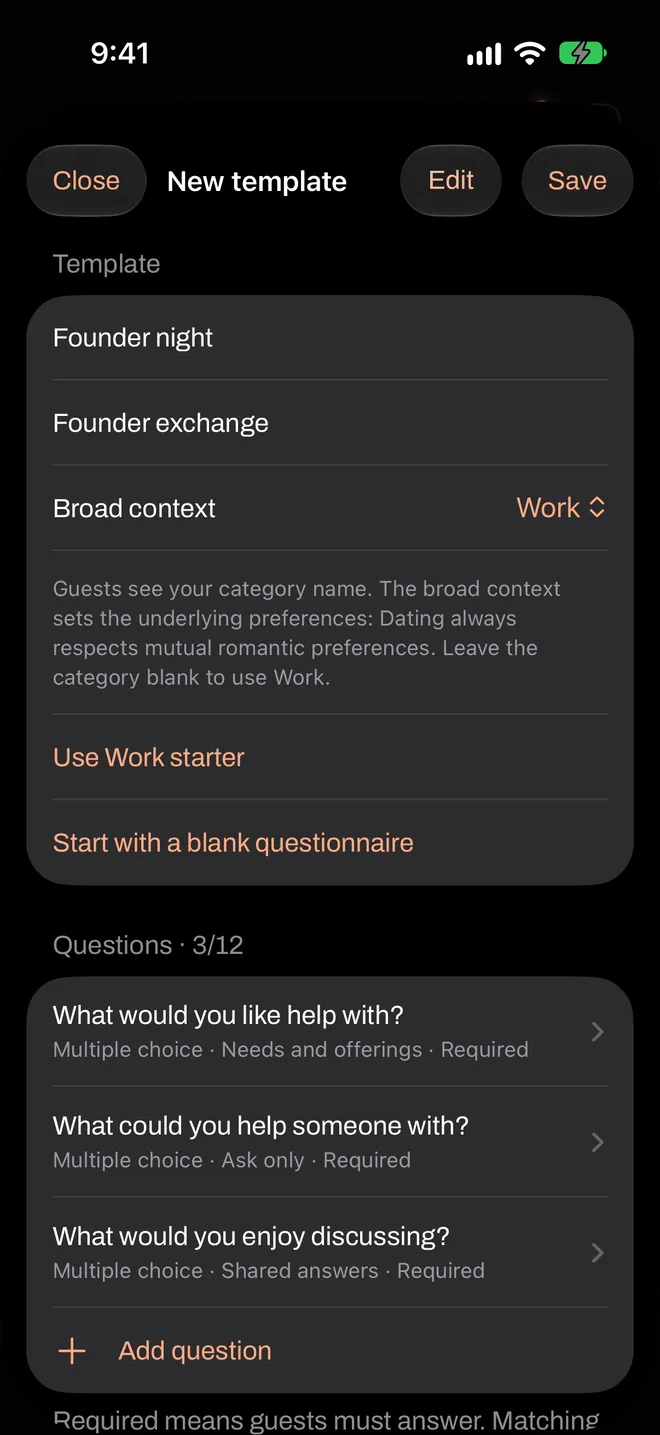
In the host area, tap Create matching template.
| Field | What it’s for |
|---|---|
| Template name | Only you see this. Name it so you’ll recognize it in six months. |
| Category | Guests see this when they join, like “Founder exchange”. Leave it blank to use the context’s name. |
| Broad context | Dating, Friends or Work. Dating always respects mutual romantic preferences. |
Start from a starter or a blank page
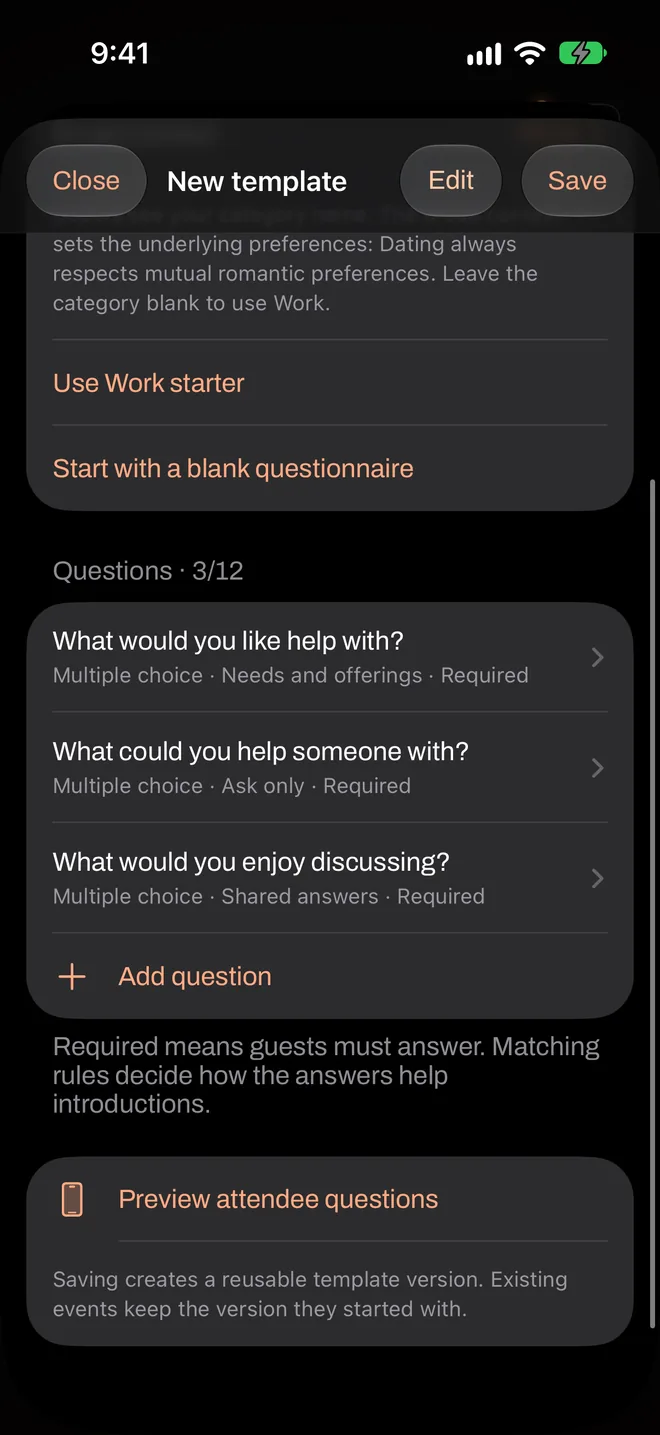
The starter gives you sensible questions for your context, which you can change. Start with a blank questionnaire gives you an empty list, and Add question adds to it.
If you leave the list empty, the template uses Flare’s default profile for that context. Guests then complete their personal profile rather than answering event questions.
Write each question
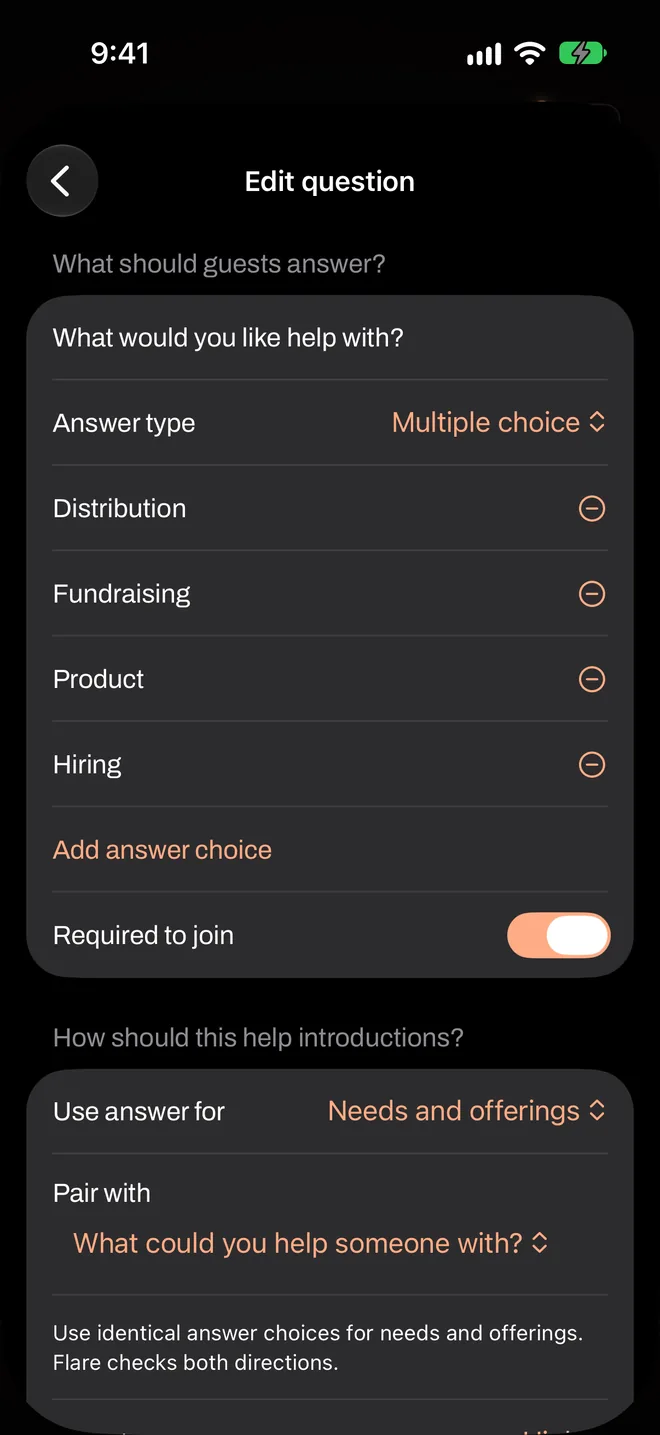
Tap a question to edit it. Under What should guests answer?, you set:
- Question: the wording.
- Answer type: single choice, multiple choice, a scale of 1 to 5, or short text of up to 140 characters.
- Answer choices: for the choice types.
- Required to join: guests must answer before they can light their flare. It doesn’t mean another guest must give the same answer.
Say how each answer helps
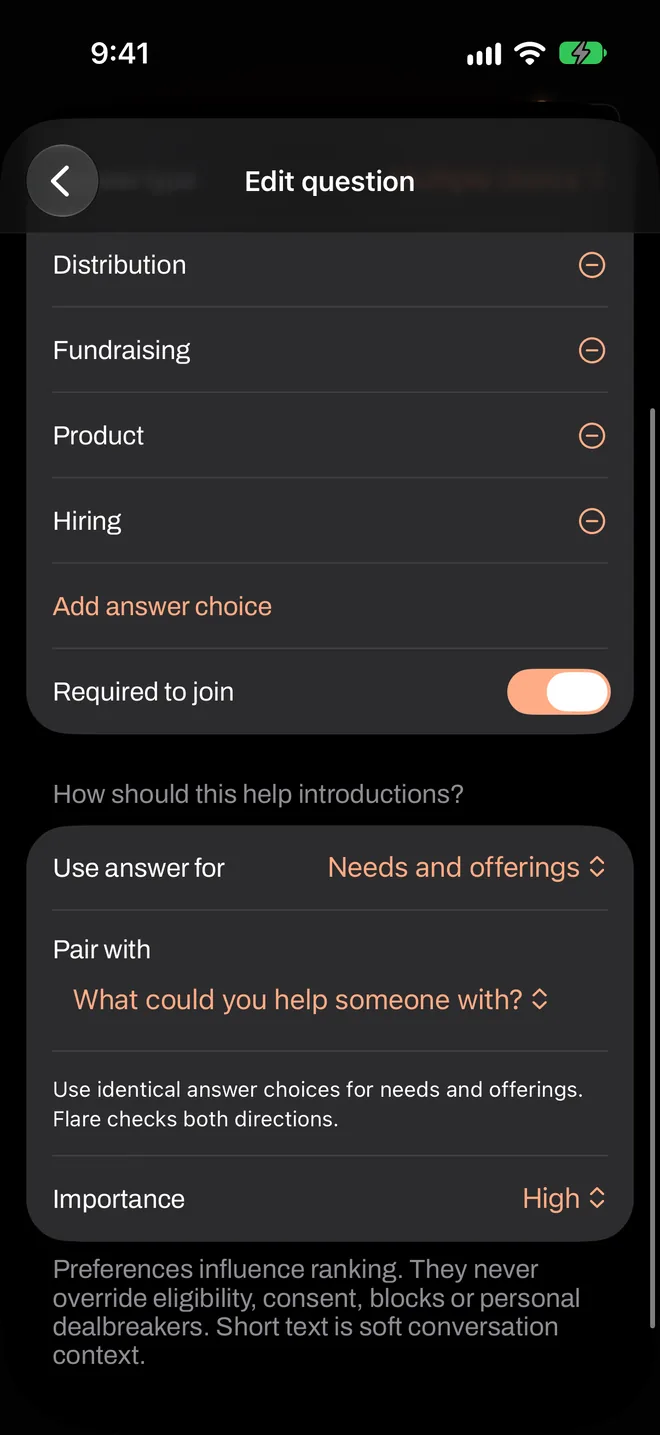
Under How should this help introductions?, choose what the answer is for in Use answer for, and set its Importance to Normal or High.
For Needs and offerings, also choose the paired question under Pair with. Both questions need identical answer choices, because Flare compares them in both directions. All the rules, explained.
Preview it
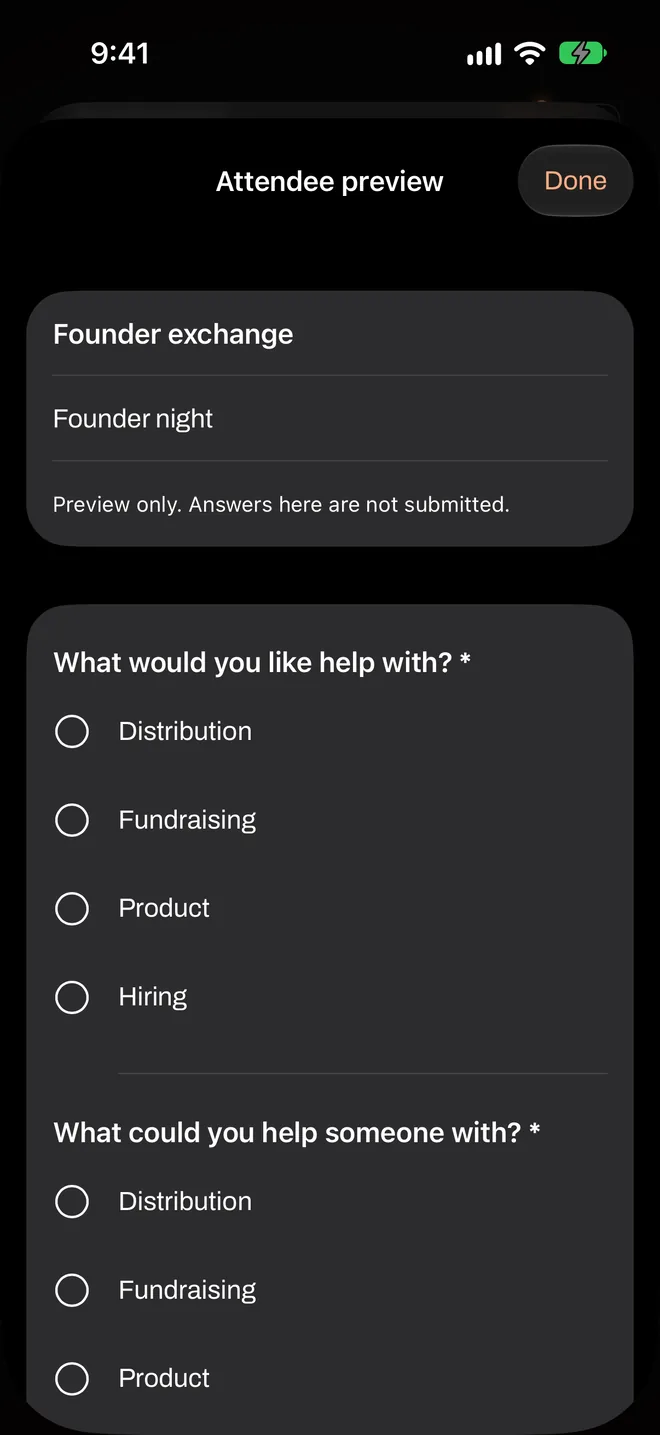
Preview attendee questions shows the form as your guests will see it. Try filling it in. If it takes you much more than a couple of minutes, your guests will feel that too. Nothing you enter here is submitted.
Save
Tap Save to create a new version. The next time you create an event, you’ll find it under Matching profile. You can also duplicate or delete templates from the host area.
Editing a template never changes an event you’ve already created. Each event keeps the exact version it started with.
A template with questions needs at least one that’s used for matching. A required question set to Ask only doesn’t count, and short text alone isn’t enough, so include at least one choice or scale question with a matching rule.