Open the old event
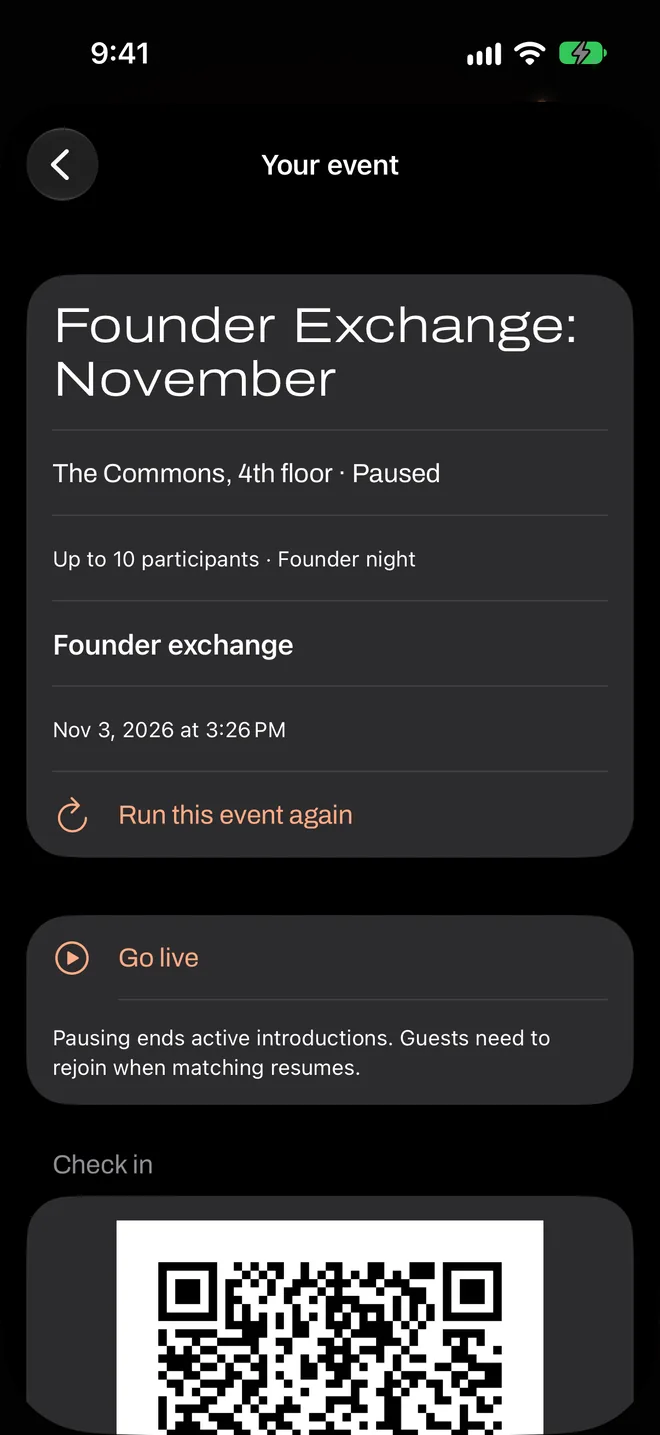
In the host area, open the event from your list and tap Run this event again. It works even if you’ve since edited or deleted the template, because each event keeps its own copy of its questions.
Check the date
You’ll see A fresh date, the same format, with the next monthly date already filled in. Change it if you need to, along with anything else that’s different, then tap Create.
Pay, and go live on the night
This is a separate event, with its own invitation, code, results and payment. Nothing repeats automatically: Flare doesn’t schedule recurring charges or publish events by itself.
What carries over
| Carries over | Starts fresh |
|---|---|
| Venue | Date and times |
| Capacity choice | Payment |
| The exact questions and rules | Invitation, poster and live code |
| Event name, which you can change | Results |
If the same people come every time
Each phone remembers who it’s already met, so Flare won’t repeat those introductions at later events. That’s what guests want, but it means a small regular group will eventually run out of new people. Bring in new faces, or combine two groups once in a while.
You can compare your results from one event to the next to see whether a change helped. Change one question at a time, if you can, so you know which one did it.